Roles for your team
Invite members and assign access to manage, issue, redeem or simply view.
 PhieuQR
From bags of rice to warm meals, manage distribution with QR vouchers. Give your team more time for the people who come to collect.
For community kitchens, volunteer groups and donation drives.
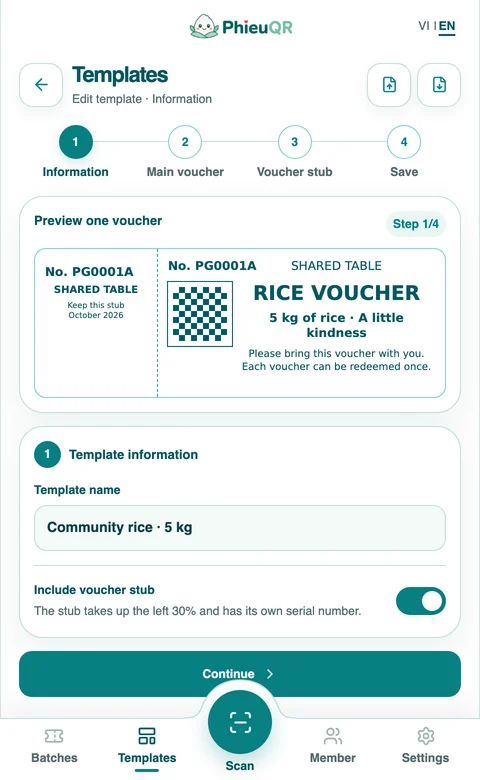
Write your voucher, choose a stub and create a numbered batch for each drive.
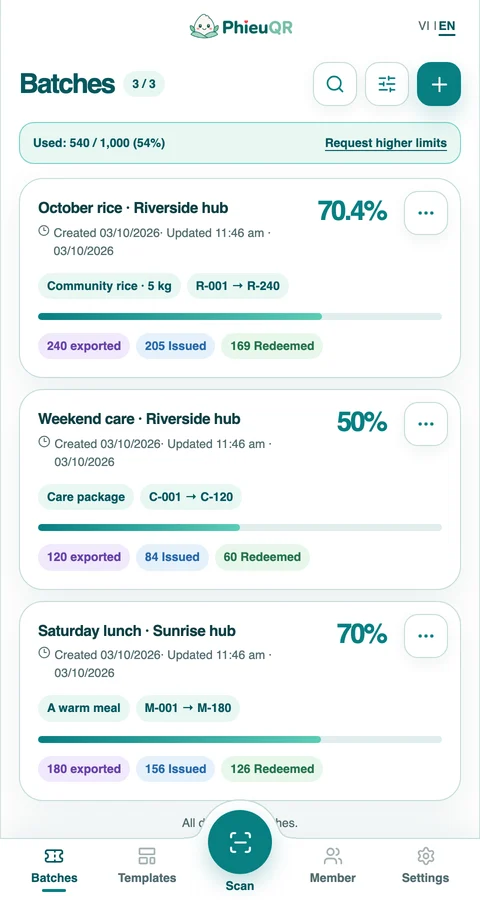
Activate the batch and download vouchers for printing. Exporting is required before you can scan to issue.
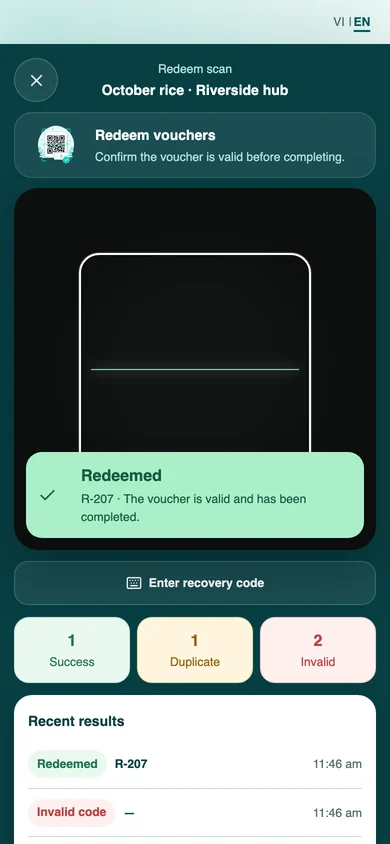
Check vouchers on your phone, record collections and identify repeat scans.
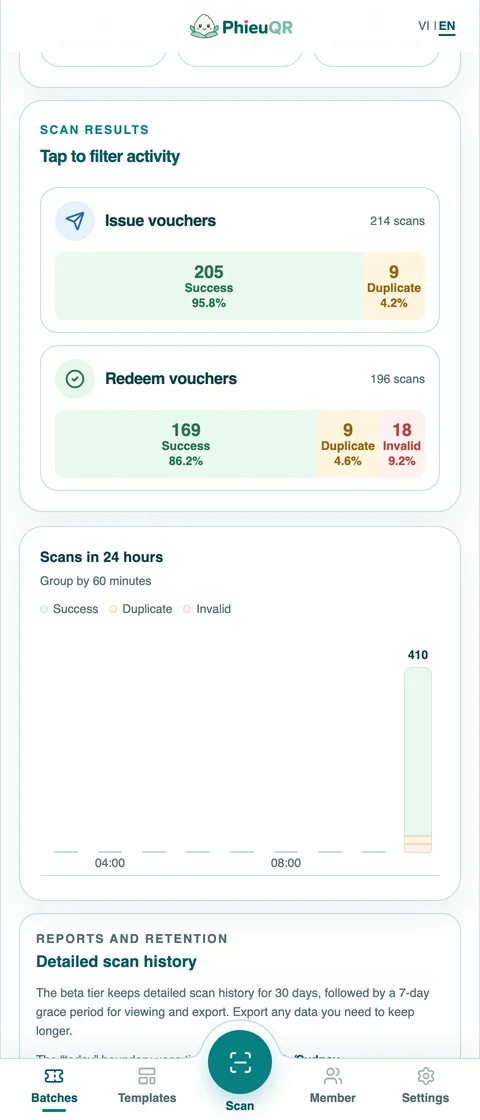
Track vouchers yet to be issued, already issued and redeemed. The history and chart show successful, duplicate and invalid scans across your team.
Rice, meals or everyday essentials: write your own content and preview the print layout. Each batch keeps its own voucher template.
Scan QR codes with your phone camera. If a code is hard to read, enter the recovery code printed on the voucher. Unissued and already redeemed vouchers have distinct messages.
Invite members and assign access to manage, issue, redeem or simply view.
See when a scan happened, who performed it and the result. Export the history for reconciliation.
No password to remember. A one-time sign-in code is sent to your email.
Use PhieuQR in your phone or desktop browser. You can also add it to your home screen on supported devices.
Yes. A network connection is required to verify vouchers and keep their status consistent across the team.
The app shows that the voucher has already been redeemed and records the duplicate scan without increasing the redemption count.
Sign in with your email and follow the setup steps while capacity is available in the trial. If capacity is full, you can join the waitlist.
Start with a voucher template. Bring your team together for the rest.